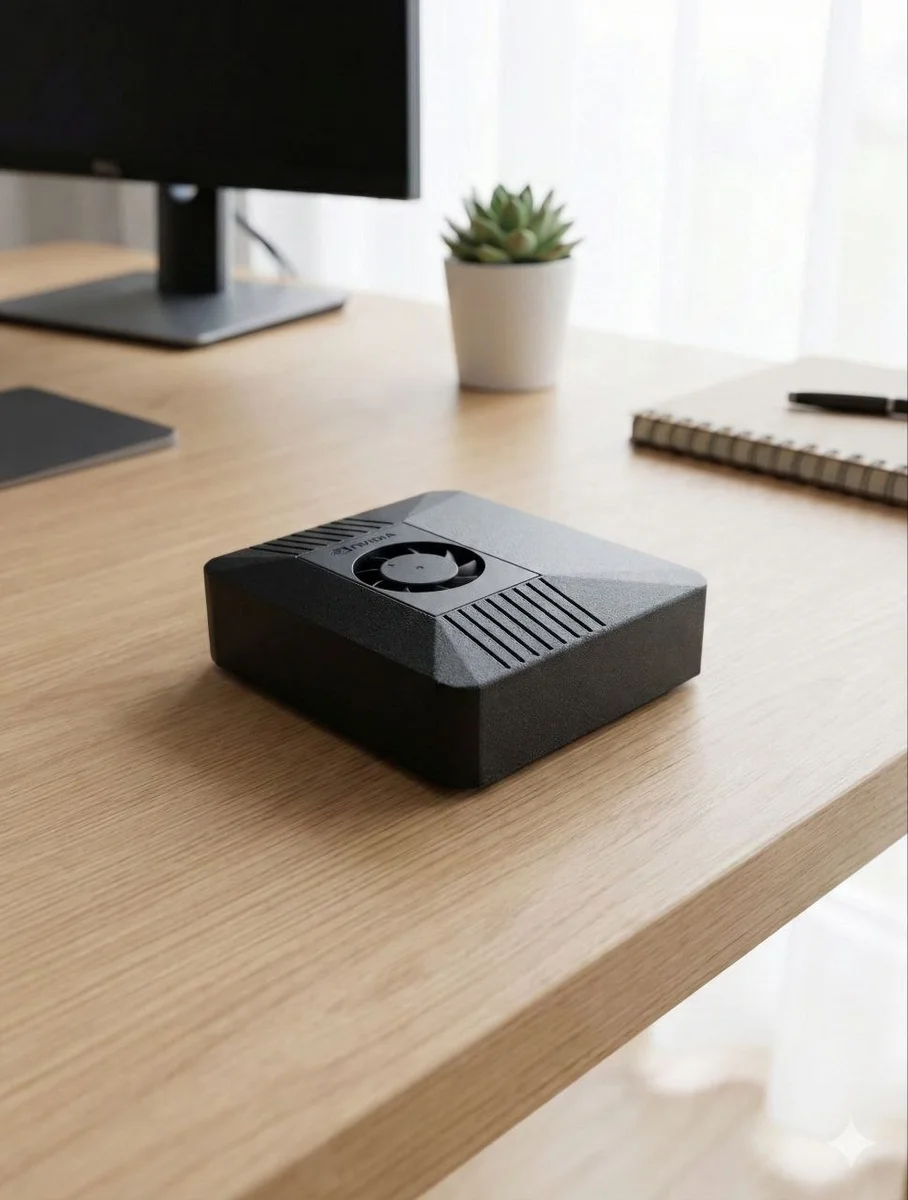
What is ClawBox AI?
ClawBox AI is a dedicated hardware device that brings artificial intelligence directly into your home or office — completely private, completely offline, completely yours. Built on the NVIDIA Jetson Orin Nano 8GB processor with 512GB of NVMe storage, ClawBox AI runs OpenClaw, a powerful open-source AI platform designed for privacy-first computing.
Unlike cloud-based AI services like ChatGPT, Google Gemini, or Claude, ClawBox AI processes everything locally on your device. Your conversations never leave your network. Your data is never sold, mined, or analyzed by third parties. You own the hardware forever, pay once (€549), and never worry about subscription hikes, terms-of-service changes, or being locked into a proprietary platform.
ClawBox AI delivers 67 trillion operations per second (TOPS) of computing power while consuming just 15 watts — less energy than a standard LED bulb. This means you can run a full AI assistant 24/7 for under €80 per year in electricity costs.
Why Choose ClawBox AI?
🔒 Complete Privacy
Zero data sharing. All AI processing happens on your device. No telemetry, no tracking, no analytics. Your conversations and data are yours alone.
💰 One-Time Price, Forever
Pay €549 once. No monthly subscriptions. No "premium tiers." No surprise price increases. Own the hardware outright and use it for as long as you want.
⚡ Fast, Powerful AI
NVIDIA Jetson Orin Nano delivers 67 TOPS. Fast enough for real-time responses. Powerful enough for running multiple AI models simultaneously.
🌐 Works Offline
No internet required for core AI chat. Process documents, run automation, manage tasks even if your internet goes down. Stay productive always.
📱 Multi-Platform Messaging
Connect ClawBox AI to Telegram, WhatsApp, Discord, Signal, or web interface. One AI, every platform you already use.
🔧 Open Source & Hackable
Built on OpenClaw — fully open-source. SSH access, Docker support, NVIDIA CUDA toolkit. Extend with custom skills. Modify behavior. Contribute to the community.
🤖 Browser Automation
ClawBox AI can browse the web, fill forms, extract data, and automate online tasks — all running locally on your hardware, no cloud API calls needed.
⏱️ 5-Minute Setup
Unbox, plug in, scan QR code, connect your messaging app. Working AI assistant in under 5 minutes. No complex configuration wizardry.
What Can ClawBox AI Do?
📝 AI Chat & Reasoning
Ask questions, brainstorm ideas, get writing help, analyze documents, or just chat. ClawBox AI can run open-source language models locally, delivering thoughtful responses instantly without sending your data to the cloud.
🌐 Web Automation
ClawBox AI can browse websites, click buttons, fill forms, extract data, and automate workflows. Perfect for price monitoring, lead generation, data collection, and repetitive tasks — all processing happens locally on your device.
📧 Email & Calendar
Manage your inbox, schedule meetings, set reminders, and organize your calendar through AI. ClawBox AI integrates with your email and calendar services, keeping everything synchronized locally.
💬 Multi-Platform Messaging
Connect ClawBox AI to Telegram, WhatsApp, Discord, Signal, or any webhook-enabled service. Send and receive messages, manage group chats, and automate notifications from your AI assistant.
🏠 Smart Home Control
Integrate with Home Assistant, MQTT, and other smart home platforms. Control lights, thermostats, locks, and appliances through natural language commands.
🎯 Custom AI Skills
Write custom skills in Python or JavaScript. Build specialized tools for your workflow: finance analysis, code review, data processing, or industry-specific automation.
📄 Document Processing
Upload PDFs, Word docs, or images. ClawBox AI extracts text, analyzes content, generates summaries, and answers questions about your documents — all offline.
🎤 Voice & Transcription
Record voice notes and have ClawBox AI transcribe them locally. Process audio files, extract insights, and create searchable archives of your voice data.
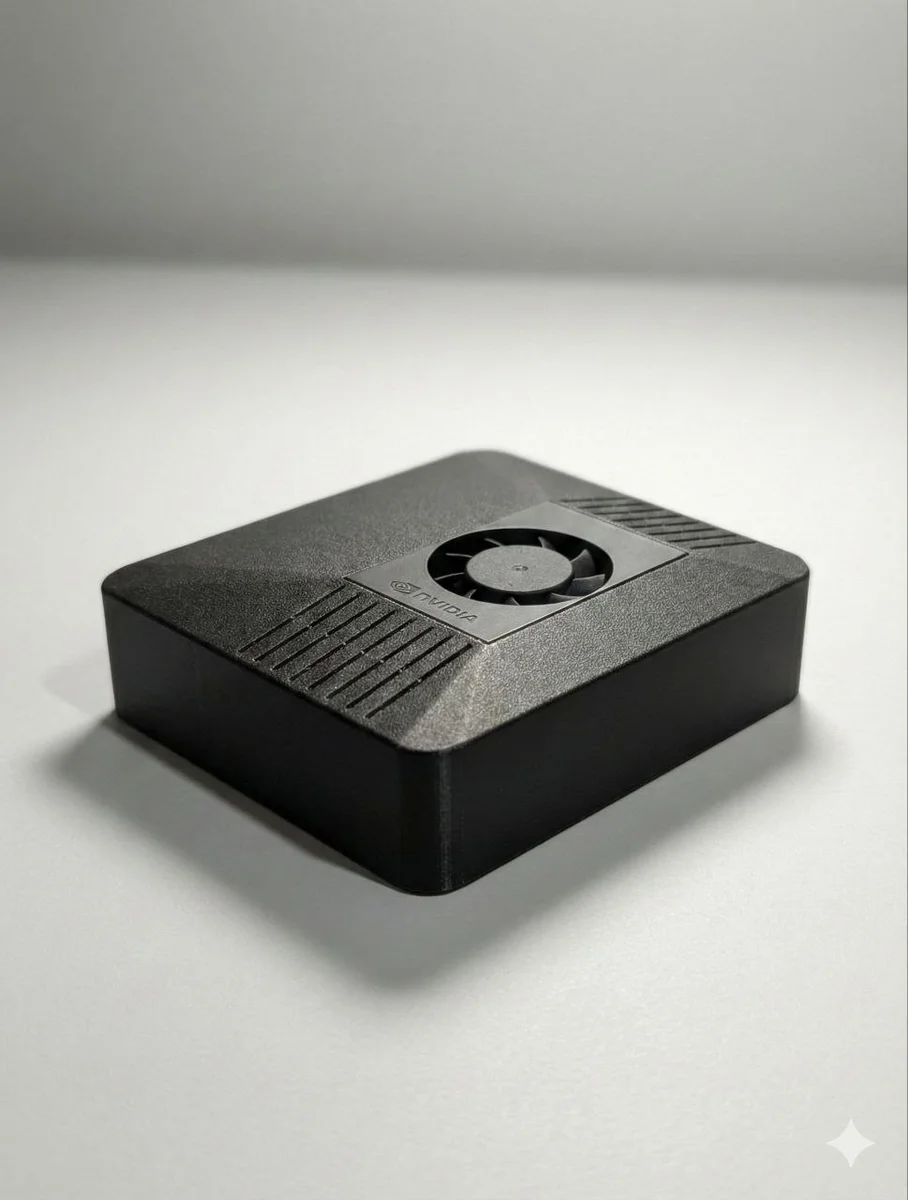
Hardware & Specifications
| ClawBox AI Hardware | |
|---|---|
| Processor | NVIDIA Jetson Orin Nano 8GB |
| AI Computing Power | 67 TOPS (trillion operations/sec) |
| RAM | 8GB LPDDR5 |
| Storage | 512GB NVMe SSD (expandable) |
| Power Consumption | 5-15W (idle-peak) |
| Network | 1Gbps Ethernet + WiFi 6 |
| Ports | USB-C (power), USB 3.0, HDMI, 40-pin GPIO |
| OS | Linux Ubuntu 22.04 (aarch64) |
| Software | OpenClaw (open-source, pre-installed) |
| Setup Time | 5 minutes |
| Price | €549 one-time |
ClawBox AI vs. Cloud AI Alternatives
| Feature | ClawBox AI | ChatGPT Plus | Google Gemini Pro | Self-Hosted Server |
|---|---|---|---|---|
| Privacy | ✓ 100% Local | ✗ Cloud | ✗ Cloud | ✓ Local |
| Subscription? | ✓ No — €549 one-time | ✗ $20/month (€240/year) | ✗ $20/month or Free (limited) | ✓ No recurring |
| Hardware Cost | €549 | $0 (use your computer) | $0 (use your computer) | €2000-5000+ |
| Web Automation | ✓ Yes | ✗ No | ✗ No | ✓ Yes |
| Email Integration | ✓ Yes | ✗ No | ✗ No | ✓ Yes |
| Smart Home | ✓ Yes | ✗ No | ✗ No | ✓ Yes |
| Setup Difficulty | ✓ 5 minutes | ✓ 2 minutes | ✓ 2 minutes | ✗ 2-3 hours |
| Power Consumption | ✓ 15W peak | Depends on your PC | Depends on your PC | ✗ 200-400W |
| Customizable | ✓ Open-source | ✗ Locked API | ✗ Locked API | ✓ Full control |
Frequently Asked Questions
Is ClawBox AI difficult to set up?
No. Unbox ClawBox AI, plug in power and Ethernet, scan the QR code with your phone, select your messaging app (Telegram, WhatsApp, Discord, etc.), and you're done. Typically takes 3-5 minutes total. No technical knowledge required.
What if I don't have high-speed internet?
ClawBox AI works perfectly on basic broadband. Core AI chat and automation work completely offline. For features like fetching weather or sending messages, you need internet connectivity, but the AI itself requires no cloud connection. Even 4G internet is sufficient.
Can I run my own AI models on ClawBox AI?
Yes. ClawBox AI provides SSH root access, NVIDIA CUDA toolkit, and Docker support. You can install and run any open-source AI model compatible with NVIDIA Jetson: Ollama, LM Studio, LocalAI, or your own custom models.
What's the warranty and support?
ClawBox AI includes a 2-year hardware warranty from IDRobots. Community support available via GitHub and Discord. Premium enterprise support can be arranged for organizations.
Can ClawBox AI replace my Mac Mini or home server?
ClawBox AI is designed as a dedicated AI assistant, not a general-purpose server. It excels at AI tasks (chat, automation, web browsing, smart home). For other server workloads (media streaming, file hosting, game servers), a traditional home server or Mac Mini may be better suited.
How do I update ClawBox AI?
Updates to OpenClaw software are pushed automatically over-the-air when connected to the internet. No manual intervention required. Hardware never becomes obsolete — it continues running updated software indefinitely.
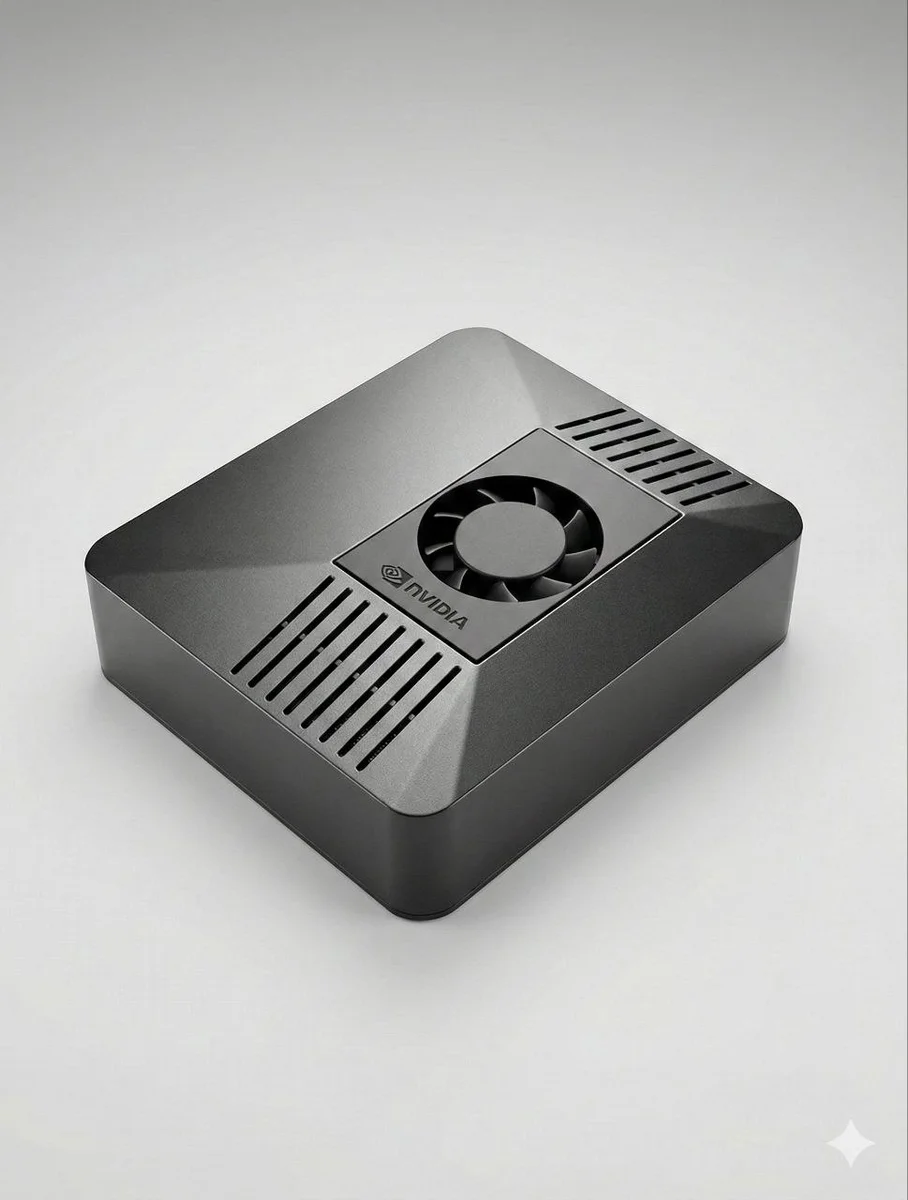
Who is ClawBox AI for?
Developers who want a real ClawBox AI sandbox
If you build AI agents, tools, or automation, ClawBox AI gives you a dedicated Jetson Orin Nano with full root, CUDA, and Docker — without sharing your main workstation. ClawBox AI ships with OpenClaw pre-installed, so you can plug it in and start hacking on skills, hooks, and multi-agent flows in minutes. Every ClawBox AI is yours to break, fork, and extend.
Privacy-first households who do not want another cloud subscription
Families and small households use ClawBox AI as a shared AI appliance — kids get homework help, parents get a writing assistant, and nobody's conversations are shipped to a cloud provider. ClawBox AI sits next to your router, runs on 15W, and answers from the same chat apps you already use. One ClawBox AI, one-time €549, no monthly bill.
Small businesses, agencies, and consultants
For teams that handle client data, ClawBox AI keeps AI work inside the building. Draft proposals, summarise calls, transcribe meetings, and run web automation — all on your own ClawBox AI hardware. Compliance stays simple because nothing crosses your firewall.
Makers, students, and self-hosters
If you already run Home Assistant, a Pi-hole, a NAS, or a local LLM experiment, ClawBox AI is the missing piece — a purpose-built AI node that integrates over MCP, HTTP, and webhooks. ClawBox AI is the "AI brain" for a self-hosted stack that values control over convenience.
ClawBox AI vs. DIY local LLM builds
Plenty of enthusiasts try to roll their own local AI rig — a spare GPU, Ollama, some scripts. ClawBox AI exists because building that cleanly takes weeks and the result is usually fragile. ClawBox AI is a finished product: the hardware is pre-selected for AI inference (NVIDIA Jetson Orin Nano, 8GB unified memory, 512GB NVMe), the OpenClaw software is tuned to that hardware, and the whole ClawBox AI unit is covered by a 2-year warranty from IDRobots.
With a DIY build you get flexibility but pay for it in power (a typical desktop GPU idles at 40–60W vs. 5–8W for ClawBox AI), noise (ClawBox AI is silent), and time (debugging CUDA driver mismatches is nobody's idea of fun). With ClawBox AI you get a device that already works — unbox, power up, scan QR, start chatting. If you later want to swap models or add skills, you still can: ClawBox AI is fully open-source and gives you SSH access on day one.
The trade-off is simple. DIY: cheaper parts bill, more hours, less polish. ClawBox AI: higher upfront (€549), zero integration work, runs 24/7 for the price of an LED bulb. Most buyers who have tried both end up keeping a ClawBox AI on their desk because it just works.
ClawBox AI power consumption & running costs — real numbers
One of the top questions before buying ClawBox AI is "what will this cost me to run?" The honest answer: less than almost anything else in your home. ClawBox AI draws 5–8 watts at idle and peaks at 15 watts during active inference. At the European average of €0.28 per kWh that works out to roughly €12–€37 per year in electricity if you leave your ClawBox AI running 24/7, 365 days a year.
For comparison, a single ChatGPT Plus subscription is €240 per year; a gaming desktop running local LLMs idles at 40–60W (≈ €100–€150/year just to keep the machine alive, before the GPU spins up). A Synology NAS runs 20–30W. Even a Raspberry Pi 5 with an AI HAT pulls more wattage than ClawBox AI once the accelerator is loaded. In other words: ClawBox AI is the cheapest-to-run 24/7 AI appliance on the market that still delivers useful inference speed.
Silent too — ClawBox AI uses a fanless or low-RPM passive cooling setup depending on revision, so there is no continuous fan noise. You can put ClawBox AI on your desk, in a bookshelf, or next to your router without hearing it. For homes and small offices that care about energy and noise, ClawBox AI is the frictionless way to always have an AI assistant available.
How ClawBox AI protects your privacy — the exact data flow
"ClawBox AI is private" is a claim worth unpacking. Here is what actually happens when you use ClawBox AI:
- Your message enters ClawBox AI over your local network. Telegram, WhatsApp, Discord, or the web UI all route messages through the encrypted channel you already use with that platform — and the final hop terminates on your ClawBox AI, not on a cloud server.
- ClawBox AI runs inference locally. The model weights, the context window, the prompt, and the response all live on the ClawBox AI NVMe drive. Nothing about that turn is sent to OpenAI, Anthropic, Google, or anyone else unless you explicitly configure an external API skill.
- History is stored on the ClawBox AI device only. Conversation memory, learned preferences, and any documents you upload all stay on the ClawBox AI SSD. You can wipe ClawBox AI at any time with a factory-reset button — no cloud sync, no orphaned data anywhere.
- Outbound traffic is explicit. ClawBox AI only phones outward when a skill needs to (fetch a website, send a Telegram message, call a weather API). There is no background telemetry from ClawBox AI itself — no crash reporting, no analytics, no usage beaconing.
That means for a journalist, a lawyer, a therapist, or a privacy-conscious family, ClawBox AI is a real answer to the "we do not want our conversations on someone else's server" requirement. Many ChatGPT users get uncomfortable the moment a prompt mentions a client, a patient, or a source — ClawBox AI removes that friction because the ClawBox AI box itself is the only place that sees the data.
ClawBox AI vs. Raspberry Pi AI builds — why most people switch
Raspberry Pi 5 with an AI HAT is the closest DIY alternative to ClawBox AI in form factor and price range, so it is worth comparing honestly. A Pi 5 + AI HAT + NVMe + case typically lands around €220–€280 in parts. ClawBox AI is €549 assembled, configured, warrantied. On paper the Pi wins on price. In practice, three things usually pull buyers to ClawBox AI:
Inference speed. A Jetson Orin Nano 8GB (the core of ClawBox AI) runs Llama 3 8B at 15–25 tokens per second. A Pi 5 with a Hailo-8L AI HAT can run small models but throttles hard on 7B+ parameter models that most people actually want. If you want your AI assistant to answer in plain English in under 2 seconds, ClawBox AI is meaningfully faster.
Memory headroom. ClawBox AI ships with 8GB unified memory accessible to the GPU. That is enough to load Llama 3 8B in 4-bit quantization with room for a generous context window. A Pi 5 peaks at 8GB system RAM with only a slice available to the accelerator, so larger models page heavily. For agentic multi-step tasks where ClawBox AI shines, that headroom matters.
Software integration. ClawBox AI is not just hardware — it is hardware plus OpenClaw, pre-configured, versioned, and updated. A DIY Pi build means you hand-pick a runtime (Ollama, LocalAI, vLLM), glue it to a chat frontend, set up a reverse proxy, wire in Tailscale, maintain the whole thing. ClawBox AI ships with 580+ skills, a dashboard, a mobile setup wizard, and over-the-air updates from day one.
For makers who love tinkering, a Pi build is fun. For anyone who wants an AI assistant that just works, ClawBox AI is the faster path. Many ClawBox AI customers explicitly told us they tried a Pi first — ClawBox AI is usually where they land when the DIY path runs out of steam.
The ClawBox AI software stack — layer by layer
Every layer of the ClawBox AI stack is deliberate. At the bottom: a Jetson Orin Nano 8GB chosen because it is the sweet spot of AI throughput per watt for a desk-sized device. Above it: Ubuntu with NVIDIA's JetPack, so CUDA and TensorRT are already tuned for the exact silicon inside your ClawBox AI. Above that: OpenClaw, the platform that turns raw inference into a useful assistant — skill store, memory, dashboard, scheduler. On top: the chat surfaces you already use. When you unbox a ClawBox AI, those four layers are already wired together. You never touch a driver, a systemd unit, or a CUDA mismatch. That is what "pre-configured" actually means for ClawBox AI.
ClawBox AI privacy model — the exact data flow (visualised)
Which AI models can you run on ClawBox AI?
ClawBox AI runs open-weight language models locally on the Jetson Orin Nano GPU. Because ClawBox AI uses NVIDIA CUDA + TensorRT, most popular open models ship with Jetson-compatible quantised builds. These are the models most ClawBox AI owners use day to day:
- Llama 3 8B (Meta) — the default ClawBox AI chat model. Balanced, strong reasoning, excellent for email, chat, writing help. Runs at ~15–25 tokens/sec on ClawBox AI.
- Gemma 2 9B (Google) — excellent for summarisation and structured output. Popular choice on ClawBox AI for research workflows.
- Mistral 7B / Mistral Nemo — fast and compact. Good for ClawBox AI users who want lower latency on short exchanges.
- Qwen 2.5 7B (Alibaba) — strong coding ability. A favourite among developer ClawBox AI owners.
- Phi-3 Mini (Microsoft) — lightweight, very fast. Great as a ClawBox AI background skill-routing model.
- Whisper (OpenAI, open-weights) — real-time voice transcription on ClawBox AI. Roughly 12× realtime on the small model.
- Embedding models (all-MiniLM, bge-small) — used by ClawBox AI for local RAG and memory search.
ClawBox AI uses Ollama and llama.cpp under the hood, so switching models on ClawBox AI is a one-line operation from the OpenClaw dashboard. You can also bring your own model: any GGUF or TensorRT-LLM build that fits in 8GB will load on ClawBox AI. No cloud license, no API key, no token meter.
Real ClawBox AI use cases — day in the life
Morning: inbox and calendar
Your ClawBox AI has already scanned your email overnight. Over Telegram, you ask "what's new this morning?" ClawBox AI replies with a 4-line summary of actual decisions you need to make, flagged by urgency. Your ClawBox AI also pre-drafts a reply to the supplier quote that came in at 02:00. Nothing touched the cloud. Your supplier's prices don't end up in someone's training data.
Midday: research with browser automation
You need competitor pricing on 30 URLs. You send ClawBox AI the list. It spins up a headless browser on-box, scrapes the pricing fields, and returns a clean table in two minutes. Your ClawBox AI uses the 512GB NVMe to cache screenshots locally for audit. Normally this is the kind of task that burns through cloud credits — on ClawBox AI it is one unit of electricity.
Afternoon: code help
You are debugging a regex. Instead of pasting proprietary code into ChatGPT, you ask ClawBox AI in a private Discord channel. The Qwen 2.5 model on your ClawBox AI reads the stack trace, suggests a fix, and explains the edge case. Your source code never left your desk.
Evening: home control
You say "ClawBox AI, dim the lights and queue tomorrow's prep." ClawBox AI calls your Home Assistant instance over MQTT (local network), sets the scene, and schedules tomorrow's morning brief to your inbox. One device, many jobs.
Night: silent duty
ClawBox AI is drawing 5W in the corner of your office. It is watching for messages, running scheduled tasks, and serving as the local brain of your network. No fan noise, no cloud bill, no attack surface for a breach to leak your data. That is the ClawBox AI baseline.
ClawBox AI glossary — terms you will see around this product
- NVIDIA Jetson Orin Nano
- The system-on-module inside every ClawBox AI. 8GB unified memory, integrated GPU, purpose-built for edge AI. This is what gives ClawBox AI real inference speed while staying at 15W.
- TOPS (Tera Operations Per Second)
- A rough measure of AI compute throughput. ClawBox AI delivers 67 TOPS at sparse int8. For context: a Raspberry Pi 5 with a Hailo-8L HAT tops out around 13 TOPS. ClawBox AI has roughly 5× the headroom.
- NVMe SSD
- The 512GB fast storage inside ClawBox AI. Fast enough to stream model weights at inference time and to keep your full local memory, logs, and browser cache local.
- OpenClaw
- The open-source platform that powers ClawBox AI — runtime, skill store, dashboard, memory. You can run OpenClaw elsewhere, but ClawBox AI is the reference hardware it is tuned for.
- Quantisation
- Shrinking a model so it fits in less memory. ClawBox AI typically runs 4-bit or 8-bit quantised builds, which keeps quality high while fitting in the 8GB of the Jetson inside ClawBox AI.
- RAG (Retrieval-Augmented Generation)
- Giving your ClawBox AI access to your own documents by embedding them and retrieving relevant chunks at query time. ClawBox AI supports local RAG out of the box — your documents never leave the device.
- MCP (Model Context Protocol)
- An open protocol for connecting models to tools and data sources. ClawBox AI speaks MCP natively, which is how OpenClaw skills integrate with your ClawBox AI on day one.
- Edge AI
- The broader category ClawBox AI sits in: AI that runs at the edge of the network instead of in a cloud data centre. ClawBox AI is one of the cleanest consumer-priced edge-AI appliances on the market.
Ready to Get Started?
ClawBox AI: Private, local AI processing that you own and control.
No cloud. No subscriptions. No compromises.